Turn Any Photo into a Spray Paint Stencil
Upload a photo and get a cut-ready, bridged stencil for spray paint in seconds.
What people spray with it


How it works
Islands and bridges
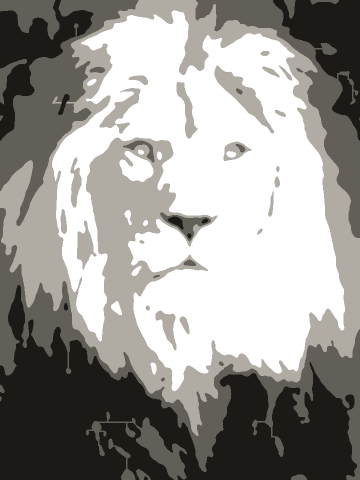
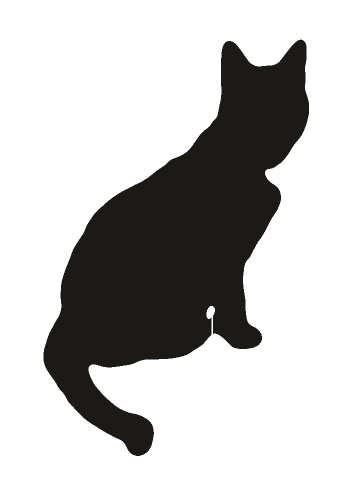
In a spray paint stencil, an island is a part of the stencil that is not connected to the rest, like the center of the letter O or the pupil of an eye. When you cut it out, it falls away, and the spray covers that spot instead of leaving it clear. A bridge is a thin strip that holds the piece in place. The bridges show up as thin gaps in the finished paint, which is part of the classic stencil look.
What to cut your stencil from
| Material | Reuses | Good for | Watch out for |
|---|---|---|---|
| Cardstock or a manila folder | 1 to 3 | First tries, hand cutting | Soaks up paint and curls |
| Acetate or a thin plastic sheet | Many | Stencils you will use again | Harder to cut by hand. Wipe the paint off |
| Freezer paper | 1 | Shirts and fabric, pressed on with an iron | Single use. Test on a scrap first |
| Adhesive stencil vinyl | 1 | Sharp edges on walls and wood | Needs a cutting machine, or a lot of patience |
How to use your stencil with spray paint
Export the free PDF and set a custom width to the size you want. Print it on cardstock, or print on paper and tape it over a sheet of acetate or a thin plastic folder. Plastic lasts longer and can be cleaned and reused. Cut out the black areas with a craft knife on a cutting mat. If you have a cutting machine, export the SVG instead and let the machine cut it.
Tape the stencil flat on the surface. Shake the can well and spray from about 8 to 12 inches (20 to 30 cm) away, straight on to the surface. Use several light coats and let each one dry a little. One heavy coat is what makes paint run under the edges. Peel the stencil off while the last coat is still slightly wet.
With a multi-layer stencil you get one page per layer, plus a preview page. Layer 1 is the darkest and covers the least area. Start with the last layer, which covers the most area, and spray it in the lightest tone. Then add the next layers, and finish with Layer 1 in the darkest tone. Each page has marks in the four corners. Mark the corners on the surface with tape or a pencil and line the marks up for every layer, and the layers will sit exactly on top of each other.
Questions
Upload your photo here, pick a style, click Fix all, and print the free PDF. Cut out the black areas with a craft knife, tape the stencil on the surface, and spray in light coats.
One layer (Bold) is the easiest, and the best choice for your first stencil. Two layers add a shadow and a mid-tone, which works well for portraits. Three layers give the full range of tones but need three careful passes.
Cardstock or a manila folder is fine for a few uses. Acetate or a thin plastic sheet lasts much longer, and you can wipe the paint off and reuse it. Contact paper and freezer paper also work for single-use stencils.
A white area that is completely surrounded by black has nothing holding it, and falls out when you cut. Bridges are thin strips that keep every piece attached. Fix all adds them for you.
Tape the stencil down flat, spray straight on from 8 to 12 inches, and use several light coats instead of one heavy coat. A light mist of repositionable spray adhesive on the back also helps.
The PDF prints on Letter or A4 paper at the width you choose. For a larger stencil, export the SVG or DXF and have it cut at a print or sign shop that cuts vinyl or stencil film.
The printable PDF and the PNG are free, in full resolution, with no watermark. SVG and DXF files for cutting machines need a 7-Day Pass or Lifetime unlock. Both are one-time payments.
No. Your photo is processed in your browser and never leaves your device. Only the PDF, PNG or SVG you export is saved, and it goes to your own computer.